Meta title: Remote Proctoring vs Smart Browser: How to Choose Meta description: Remote proctoring vs smart browser — what each catches, what each misses, and how to pick the right integrity layer for technical assessments today.
Primary persona: Recruiter / Head of Talent Acquisition running technical hiring at scale.
Remote proctoring vs smart browser: what each catches, what each misses, and how to choose
Remote proctoring and smart browser tools solve overlapping but distinct integrity problems in online assessments. Remote proctoring watches the candidate and environment during the test; a smart browser locks down the machine so the candidate can't reach the rest of the internet in the first place. Most teams treating remote proctoring vs smart browser as an either/or are asking the wrong question — the honest answer is which layers you need, and where each one fails.
This piece is written for recruiters and hiring teams running technical assessments at scale. If you're running certification exams or high-stakes academic testing, the trade-offs shift, and we'll flag where.
What remote proctoring actually does
Remote proctoring is the monitoring layer. It uses the candidate's webcam, microphone, and screen feed to detect behaviors that suggest cheating — a second person in the room, a phone off-camera, eyes moving toward a second screen, or the browser losing focus.
There are three common modes:
- Live proctoring: a human watches in real time, one-to-one or one-to-many. Highest signal, highest cost. Per-candidate live proctoring rates reported publicly typically fall in the low tens of dollars per hour, though pricing varies significantly by volume, vendor, and region.
- Recorded proctoring: the session is captured and reviewed after the fact, either by a human or by an automated flagging system that surfaces incidents for review.
- Automated proctoring: software flags anomalies in real time — face not detected, multiple faces, tab switching, unusual audio — without a human in the loop. Some vendors also layer real-time human intervention on top of automated flags, where a live proctor is pulled in only when the software surfaces a suspicious event; this hybrid mode aims to combine scale with human judgment.
Remote proctoring catches the things that happen around the test: a second person coaching, a phone under the desk, an identity mismatch between the person who registered and the person taking the exam.
Where it misses: anything the camera can't see. A candidate reading from a paper taped just below webcam frame. A smartwatch. A whispered assist from someone outside audio range. Historical reporting on remote proctoring from 2020 suggested that even at scale, real-time human proctors flag only a portion of incidents that post-hoc review later surfaces — and post-hoc review itself only catches a portion of what actually occurs.
The bigger miss is philosophical. Remote proctoring assumes the candidate's local machine is a trustworthy surface. It's not. If a candidate can alt-tab to ChatGPT in a second window, the webcam won't help.
What a smart browser actually does
A smart browser is the lockdown layer. It's a controlled environment — usually a dedicated desktop application or hardened web runtime — that restricts what the candidate can do on their own machine during the assessment.
A well-designed smart browser typically prevents:
- Switching to other applications or tabs
- Copy-paste from external sources
- Opening a second monitor or extending the display via HDMI or other display outputs
- Taking screenshots or screen recording
- Running virtual machines or remote desktop sessions
- Access to browser extensions, including AI assistants
HackerEarth's Smart Browser, for context, enforces these controls alongside the assessment session and surfaces violation attempts to reviewers for post-assessment audit. Similar lockdown capabilities exist across the category from a range of assessment vendors — the underlying approach is not unique to any one platform.
Where a smart browser catches what proctoring misses: it removes the ability to reach ChatGPT, Stack Overflow, or a co-worker on Slack in the first place. For a technical assessment, this is the higher-leverage control. You don't need to detect the tab switch if the tab switch can't happen.
Where a smart browser misses: anything happening off the monitored machine. A phone in the candidate's lap. A printout. A second laptop borrowed from a friend. A person whispering answers from behind the webcam.
There's also a real cost to candidate experience. Smart browsers require installation, they consume system permissions candidates are (rightly) cautious about granting, and they fail more often on unusual hardware. A small share of candidates will hit setup friction — build a support path for it.
Remote proctoring vs smart browser: they fail in opposite directions
The frame we prefer: remote proctoring monitors the human, a smart browser controls the machine. They fail in opposite directions.
| Threat | Remote proctoring catches it | Smart browser catches it |
|---|---|---|
| Second tab open to ChatGPT | Sometimes, via tab-switch or focus-loss detection (varies by vendor) | Yes (blocks outright) |
| Second person in the room | Yes (video/audio) | No |
| Phone off-camera | Rarely | No |
| Copy-paste from Stack Overflow | Sometimes | Yes |
| Identity substitution (proxy candidate) | Yes (ID check + face match) | No |
| Screen sharing to a helper | Sometimes | Yes (blocks) |
| Notes taped below the webcam | Rarely | No |
| Virtual machine or remote desktop | Sometimes | Yes |
| Second monitor via HDMI or extended display | Sometimes, if display config is checked | Yes (blocks extended displays) |
Neither is complete on its own. For a technical assessment specifically — where the highest-leverage cheat is reaching an AI model or a code-answer site — the smart browser blocks the more common failure mode. For an assessment where identity fraud or environmental coaching is the higher risk, remote proctoring does more work.
For high-stakes hiring — senior engineering roles, roles with confidential IP exposure — a defensible approach is to combine both, plus a downstream interview stage that re-tests the same skills live. Any single layer will miss determined cheating.
Remote proctoring vs smart browser in an AI-assisted world
The rise of coding-capable LLMs has moved the goalposts. Prior to widespread LLM adoption, the dominant cheat on a technical screen was Googling. Today it's pasting the prompt into Claude or ChatGPT and getting a working solution in seconds. Recent industry reporting on AI-assisted cheating in technical assessments consistently points to the same pattern: candidates increasingly reach for a model, not a search engine.
This matters for the remote proctoring vs smart browser choice because:
- Remote proctoring's tab-switch detection is now the front line, and it's imperfect. Candidates using a second device (phone, tablet, second laptop) don't switch tabs at all. The webcam may or may not catch it.
- Smart browsers are more effective against LLM-assisted cheating on the primary machine because they close the fastest path. But they don't stop a second device.
- Take-home assignments are increasingly hard to defend as a sole signal, because the AI-assist question is unanswerable at home. Take-home work still has a role — as calibration, or as a starting point for a live discussion — but not as the only gate.
The realistic answer for teams hiring engineers today: assume some candidates will use AI. Design assessments that make AI use either detectable, permitted-and-scored, or structurally unhelpful (live problem-solving with follow-up questions is the third path). HackerEarth Assessments pairs smart-browser lockdown with skill-based question design intended to make AI-assisted answers easier to spot on review.

How to choose the right integrity layer
Start with the question you're actually trying to answer:
If the risk is candidates accessing AI or external code during a technical test: the smart browser does more work than remote proctoring. Add basic automated proctoring for identity verification and belt-and-braces coverage. Live human proctoring is overkill here.
If the risk is proxy candidates — someone other than the applicant taking the test: you need identity verification, ideally KYC-grade. A smart browser alone won't catch this. Remote proctoring with ID check, or a dedicated interview-stage verification layer like HackerEarth's OnScreen AI interview — which provides KYC-grade identity verification at the live interview stage rather than wrapping the screening assessment itself — addresses proxy risk more directly.
If the risk is a coached environment — a candidate with a helper off-camera: live human proctoring is the highest-signal option. It's also the most expensive and the least scalable. For most hiring, a follow-up live technical round with an engineer serves the same function at lower cost per candidate.
If you're running high-volume campus or entry-level hiring: the economics push toward smart browser + automated proctoring. Live proctoring at 10,000+ candidates per season is prohibitive, and the marginal signal per dollar drops fast. Pair with a live technical round only for shortlisted candidates.
If you're running senior technical hiring: the assessment is one signal among several. Spend less energy on assessment-stage proctoring and more on rubric-based live interviews. A determined senior candidate will defeat any single-layer control; the defense is the interview, not the lockdown.
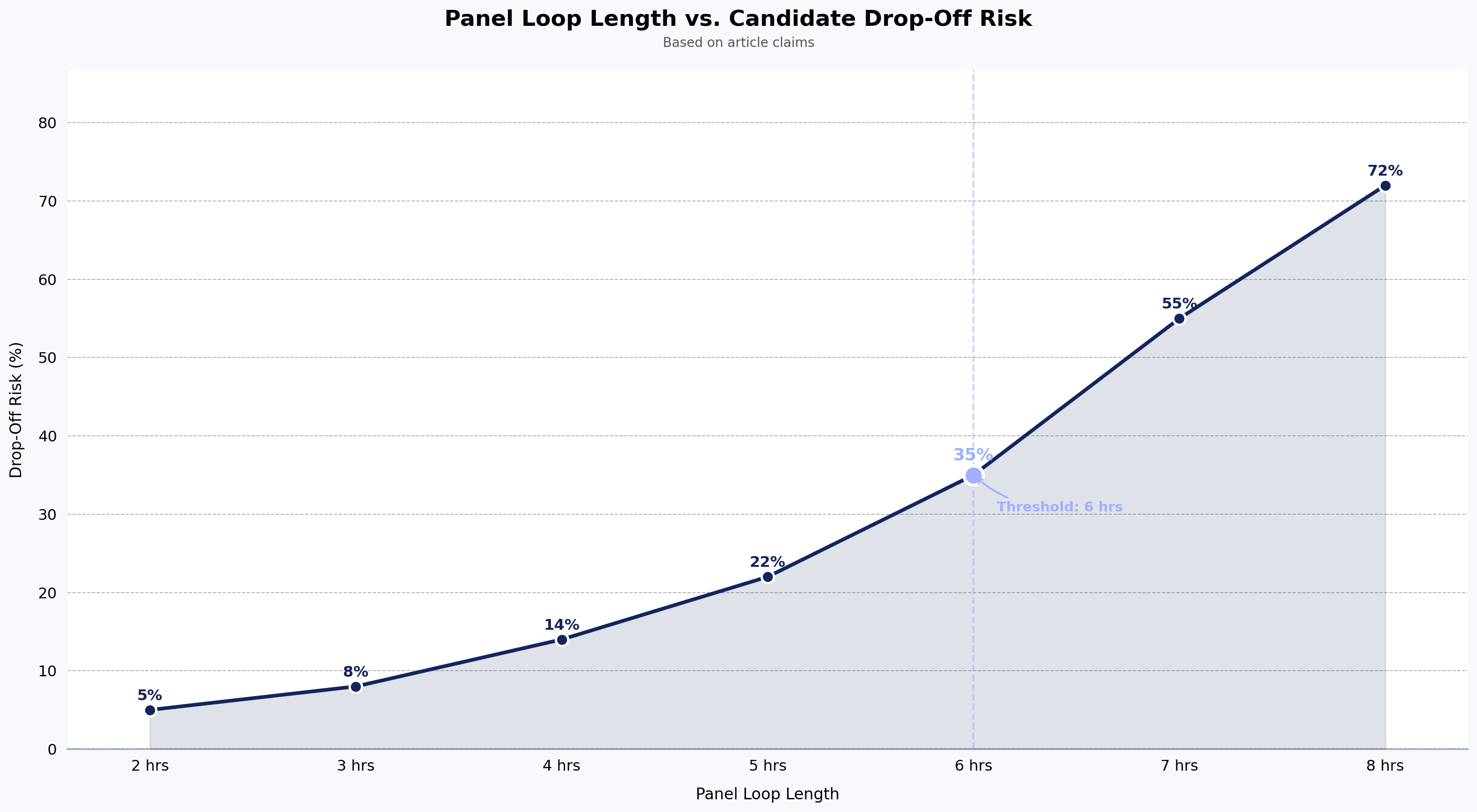
Two more principles worth stating plainly. First, transparency matters. Candidates who know what's being monitored and why complete more assessments and complain less. Bury the proctoring disclosure and you'll see drop-off and Glassdoor reviews. Second, log everything and review a sample. Even a smart-browser-plus-proctoring stack fails silently if no one ever audits the flagged sessions.
Frequently asked questions
Can Proctorio detect cheating? Proctorio and other automated proctoring tools in the same category detect a defined set of signals: face presence, multiple faces, gaze direction, tab or window focus loss, and audio anomalies. They can surface behaviors that correlate with cheating, but they don't "detect cheating" in a definitive sense — they generate flags for human review. Detection quality varies by lighting, hardware, and candidate environment, and none of these tools see off-device activity like a phone in the candidate's lap.
Does smart proctoring record you? Yes, in most implementations. Automated and recorded proctoring modes capture webcam video, microphone audio, and screen video for the duration of the session, and store them for post-assessment review. Smart browsers, on their own, typically do not record webcam or audio — they enforce environment controls on the machine and log violation events. When smart browser and proctoring are used together, the session is recorded. Candidates should be told this explicitly before they accept the test invite.
Can remote proctoring detect screen mirroring, a second monitor, or an HDMI output? Some can, some can't. Vendors that check display configuration at session start (looking for extended displays, HDMI or other external outputs, or unusual resolution changes) catch obvious cases. A candidate using a physically separate device — a phone, a second laptop — is invisible to the proctoring software regardless of vendor. Smart browsers typically block extended displays outright. This is a common gap and is worth confirming with any vendor before signing.
Can online exams detect cheating, including phone use? Partially. Online exams can detect on-device behaviors (tab switching, copy-paste, extension use, extended displays) reliably, and can detect some off-device behaviors (a second face in frame, off-screen voices, eye movement patterns) through webcam and mic analysis. Phone use specifically is one of the hardest signals to catch: a phone held below the desk, out of webcam frame, is invisible to almost every consumer-grade proctoring setup. Room scans at session start help but don't cover mid-test phone use. This is a known gap across the category, not a fixable flaw of any one tool.
Is a smart browser enough on its own for a technical assessment? For most first-round technical screens, yes — provided you pair it with identity verification and a follow-up live round for shortlisted candidates. A smart browser closes the highest-leverage cheat path (AI access on the test machine). It doesn't stop proxy candidates or coached environments, which is why the live round matters.
Do smart browsers work on all candidate devices? No. Most enforce minimum OS versions, block virtualized environments, and require specific browser or app installation. A small share of candidates will hit setup friction, and the rate is higher on older or corporate-locked machines. Have a support path — either a live-proctored alternate flow or a scheduled retest — before rolling out mandatory smart-browser assessments at scale.
Are AI-based proctoring flags reliable enough to act on? Not on their own. Automated flags are useful for surfacing sessions worth reviewing, not for rejection decisions. Reporting from the Electronic Frontier Foundation during the 2020–2021 remote-testing wave documented meaningful false-positive rates that hit candidates of color and neurodivergent candidates disproportionately. That data is now several years old and reflects the state of the tools at that time, but the underlying pattern — automated flags require human review — remains a widely held view. Treat flags as input to human review, not as verdicts.
Does adding proctoring hurt candidate completion rates? It can, especially if disclosure is unclear or the setup is heavy. Communicating what's monitored, why, and what happens to the recording — before the candidate accepts the test invite — reduces drop-off. Silent surveillance produces the worst outcomes on both integrity and candidate experience.
Key takeaways
- Remote proctoring monitors the human; a smart browser controls the machine. They fail in opposite directions and work best in combination.
- For technical assessments where AI access is the primary risk, a smart browser does more work per dollar than live human proctoring.
- Identity verification is a separate problem from cheating detection — solve it explicitly, not by assuming proctoring covers it.
- No single integrity layer is defensible for high-stakes hiring; the follow-up live technical round is where senior hires are actually calibrated.
- Automated proctoring flags belong in human review queues, not in automated rejection logic.
Next steps
If you're rebuilding your assessment integrity stack, start with the threat model, not the vendor demo. Map which cheats you're actually seeing in your pipeline, then match layers to threats. To see how smart-browser lockdown and AI-driven interview verification work together in practice, book a walkthrough of HackerEarth Assessments.