Top 10 automated online exam proctoring tools for secure hiring in 2026
Introduction
A candidate submits a near-perfect coding test — but did they actually write that code, or did they have three browser tabs open and a generous AI assistant doing the heavy lifting? If you are running technical hiring at scale, automated online exam proctoring tools (software that monitors candidates during remote assessments using AI, webcam analysis, and browser lockdown) have become the practical answer to this problem.
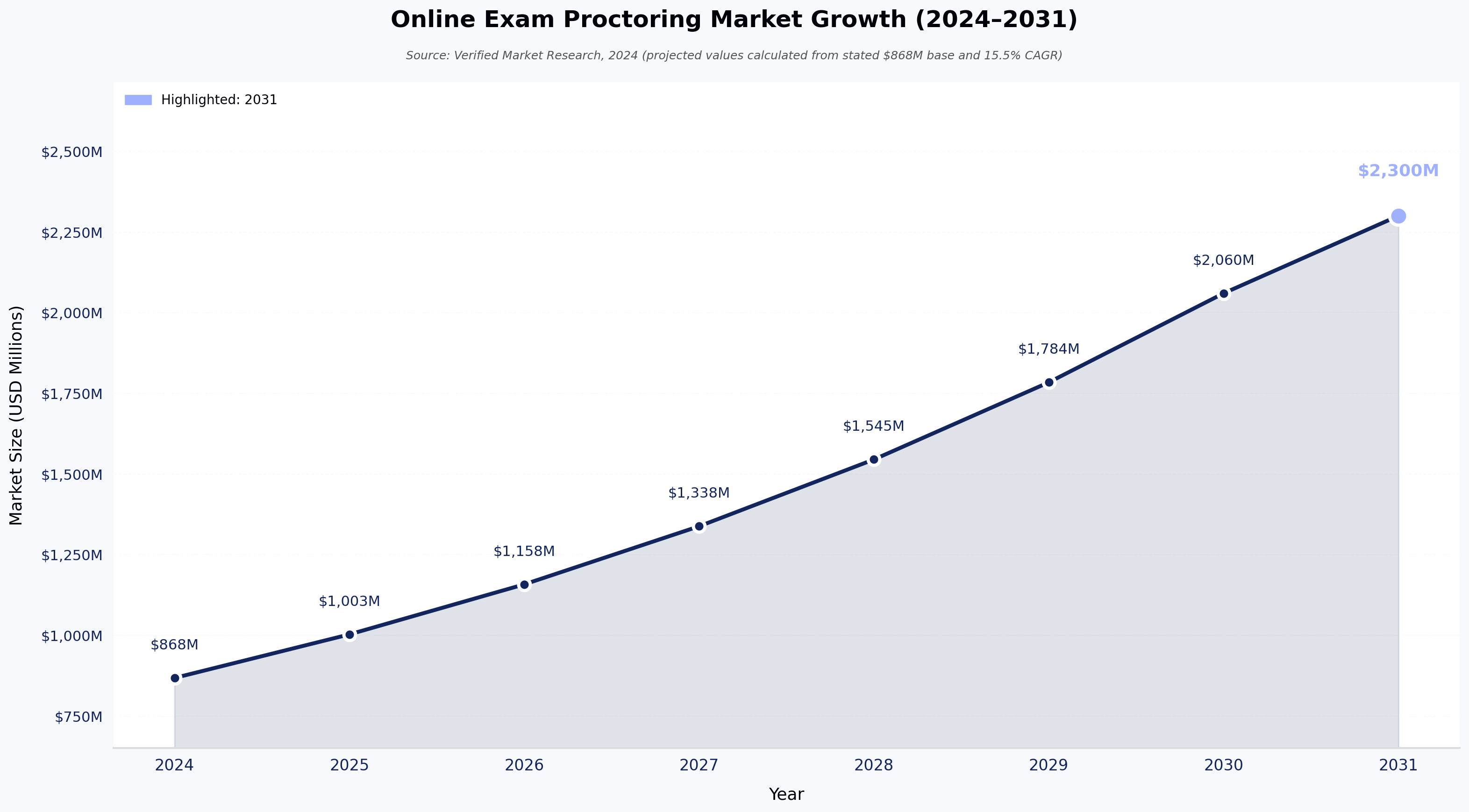
This is not a hypothetical concern. It is something recruiters deal with every hiring cycle. The global online exam proctoring market was valued at $868 million in 2024 and is on track to hit $2.3 billion by 2031, growing at a CAGR of 15.5%, according to Verified Market Research. By 2024, reports suggest that roughly 45% of corporate firms had already adopted remote proctoring for recruitment. The demand is real and growing fast.
This guide is for recruiters and hiring managers who want a straight answer on which automated proctoring tools are worth their time, which ones are not, and how to make a smart buying decision without getting lost in vendor demos.
What is automated online exam proctoring?
Automated online exam proctoring is software that monitors candidates during an online assessment using webcam monitoring, audio analysis, browser lockdown, and behavioral analytics, so a human does not have to. Unlike live proctoring (expensive, hard to scale) or record-and-review (still requires manual hours), automated proctoring lets AI handle monitoring in real time. For teams hiring at volume, it is the only option that makes practical sense.
Key features to look for in proctoring tools
Not every proctoring tool was built with tech hiring in mind, and the difference matters. Here is what to check before you commit to any platform.
Code plagiarism detection should be at the top of your list. Many proctoring tools were built for academic use and simply do not have this. For coding assessments, you need a platform that compares submissions against known online solutions and across the candidate pool, not just checks for copied paragraphs. HackerEarth's technical assessments are built around this requirement.
Browser lockdown needs to go further than blocking tab switches. For developer assessments, it should block virtual machines, developer consoles, and screen sharing tools as well.
AI identity verification using photo ID matching and liveness detection ensures the person sitting the test is actually the person who registered.
Adjustable proctoring intensity is more useful than it sounds. You do not need the same level of scrutiny on an initial screening round as you do on a final-stage technical test.
ATS integrations save your team real hours. If proctoring data does not flow directly into your existing workflow, someone is copying it manually. See our guide on ATS integration best practices for more.
GDPR and SOC 2 compliance are not optional. Any vendor that cannot clearly explain where candidate data is stored, who can access it, and when it gets deleted should not make it to your shortlist.
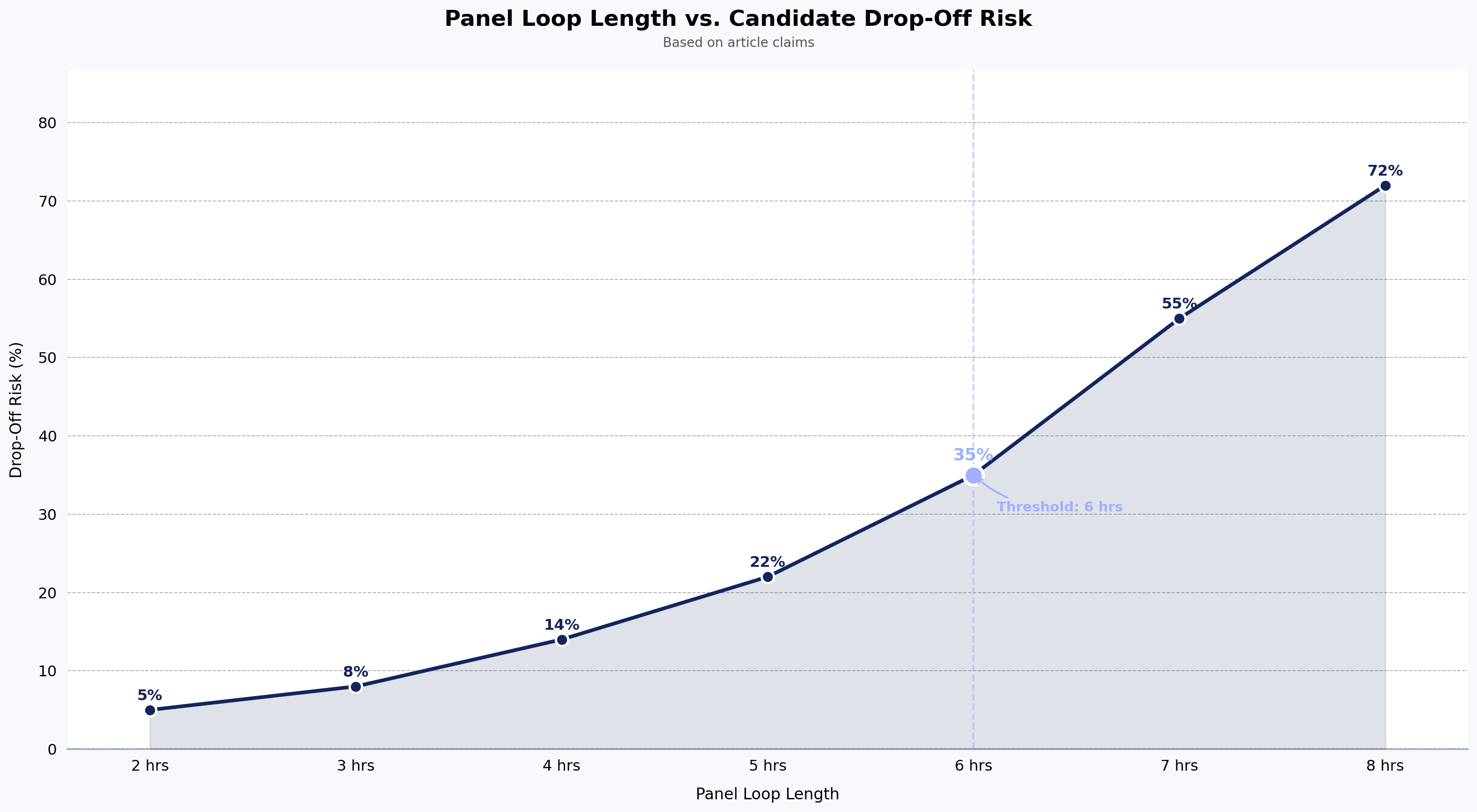
One thing that often gets overlooked: candidate experience. A 2023 survey reported by industry analysts found that 48% of test-takers were uncomfortable with invasive webcam monitoring. The candidates most likely to drop off mid-assessment are often the best ones, because they have other options. A clunky, over-engineered proctoring setup can quietly kill your pipeline quality.
Top 10 automated online exam proctoring tools in 2026
1. HackerEarth
HackerEarth is best for technical hiring because its proctoring features are built directly into the coding assessment environment, not added on as a separate layer.
Its lockdown browser locks down the testing environment by blocking tab switching, copy-pasting, and screen sharing. Proctoring signals run alongside the candidate's coding session, and recruiters can adjust the proctoring intensity depending on the role and the stage of hiring.
Beyond proctoring, the platform supports 40+ programming languages and connects with leading ATS platforms. It is GDPR compliant and is used by 500+ global enterprises. HackerEarth customer Discover Dollar reports that "roles now being closed within three to four weeks" since adopting the platform — a useful benchmark for teams measuring time-to-hire impact.
Limitations to be aware of: HackerEarth is built primarily for technical and developer hiring, so non-technical assessment use cases may not be the strongest fit, and enterprise pricing details require a conversation with sales. Pricing tiers start at $99/month for Growth and $399/month for Scale, with enterprise pricing available for OnScreen and larger deployments.
2. Mercer Mettl
Mercer Mettl gives you three proctoring modes in one platform: automated, live, and record-and-review. That flexibility can be useful if your team runs a mix of assessment types across technical and non-technical roles. The question library is broad and includes psychometric tests alongside technical ones. The downside is that the interface has not aged particularly well, and pricing can be a stretch for smaller hiring teams. A solid option for large enterprises that need to cover a lot of ground with one vendor.
3. Talview
Talview is one of the few platforms that brings AI behavioral analysis together across both skill assessments and video interviews. If your team wants a single vendor covering the full interview lifecycle rather than stitching together separate tools, it is worth a look. The setup is more involved than most competitors though, and you will need your IT team engaged from the start. Better suited to larger organizations with the internal capacity to get it properly configured.
4. Proctorio
Proctorio runs as a browser extension, which means candidates do not need to download a separate application. That frictionless start can reduce drop-off rates. It integrates well with LMS platforms like Canvas and Blackboard. The gaps for tech hiring are significant though. There is no native code plagiarism detection, and Proctorio has faced candidate privacy complaints in the past that are worth disclosing upfront in your hiring communications. Best fit for teams already embedded in an LMS ecosystem.
5. ExamSoft (Examplify)
ExamSoft was purpose-built for high-stakes certification testing in fields like law, medicine, and accounting. Its offline capability is a real differentiator for unreliable connectivity environments. For everyday tech recruitment though, it is the wrong tool. The desktop client is heavy, setup is complex, and it lacks the developer-specific features that coding assessments need. Stick to ExamSoft if you are running professional certification programs, not general hiring.
6. ProctorU (Meazure Learning)
ProctorU offers a hybrid model where AI automated proctoring is backed up by live human oversight when things get flagged. Identity verification is among the strongest available. The catch is cost. Per-session pricing adds up quickly when you are running assessments at volume, which makes it hard to justify for routine hiring. The right fit for high-stakes exams where the cost of a bad outcome is high enough to warrant the premium.
7. Honorlock
Honorlock is browser-based, requires no application download, and has a clever feature that detects candidates using a separate phone to photograph questions and look up answers. Solid for what it does. It was built for education though, and the absence of code-specific detection features means it leaves a meaningful gap for tech recruitment use cases. Reasonable starting point for teams moving from university proctoring contracts into corporate assessments.
8. HireVue (with Proctoring Add-on)
HireVue is a respected name in video interviewing and the proctoring add-on covers identity verification and behavioral analysis during recorded video responses. The important limitation to flag is that it is interview proctoring, not coding environment proctoring. It cannot monitor a candidate writing actual code. If your team is already using HireVue for video interviews and wants a basic proctoring layer on top of that, it fills the gap. For coding assessments, it does not.
9. Auto Proctor
Auto Proctor connects directly to Google Forms and is about as lightweight as proctoring tools get. Setup takes minutes and the pricing is accessible for early-stage teams. You are trading depth for simplicity though. There is no enterprise-grade identity verification, no code plagiarism detection, no ATS integration, and no protection against GenAI tool usage during a test. Fine for low-stakes internal assessments or small teams with a limited budget.
10. Conduct Exam
Conduct Exam supports multiple regional languages and offers white-label customization, which makes it a practical option in South Asian and Southeast Asian markets where localization is a real hiring need. It is affordable and well-localized. The ecosystem is thinner than larger competitors though, with fewer integrations and a smaller support network. Best used for regional hiring programs where language support and local pricing are the primary decision criteria.
Note: Competitor product details listed above are based on publicly available information and should be verified with each vendor directly. G2 ratings should be checked at g2.com before finalizing vendor decisions.
Feature comparison table
| Tool | Best for | Code plagiarism detection | Browser lockdown | ATS integration | Pricing model |
|---|---|---|---|---|---|
| HackerEarth | Technical hiring | Yes | Yes | Yes | Tiered + enterprise |
| Mercer Mettl | Mixed assessment types | Limited | Yes | Yes | Enterprise |
| Talview | End-to-end interview lifecycle | Limited | Yes | Yes | Enterprise |
| Proctorio | LMS-based teams | No | Yes (extension) | Limited | Per-session |
| ExamSoft | Certification testing | No | Yes | No | Enterprise |
| ProctorU | High-stakes exams | No | Yes | Limited | Per-session |
| Honorlock | Education-to-corporate transitions | No | Yes | Limited | Per-session |
| HireVue | Video interview proctoring | No | Limited | Yes | Enterprise |
| Auto Proctor | Low-budget, small teams | No | Limited | No | Low-cost subscription |
| Conduct Exam | Regional hiring | No | Yes | Limited | Affordable |
Alt text: Comparison table showing 10 automated proctoring tools across best-fit use case, code plagiarism detection, browser lockdown, ATS integration, and pricing model. Data based on publicly available vendor information; verify current capabilities with each vendor.
How to choose the right tool — a 5-step checklist
Most vendors will tell you they do everything. Here is a quick framework to cut through that.
- Define your assessment type. A coding test needs completely different proctoring than a video interview or an MCQ round.
- Ask for false-positive data. Every vendor claims their AI is accurate. Make them back it up with numbers.
- Run an internal pilot. Have a few employees take the test cold before you go live. If it feels clunky to them, it will feel worse to a developer fielding three other offers.
- Check your ATS integration. Proctoring data needs to flow into your existing workflow, not sit in a separate dashboard your team has to manually check.
- Get compliance in writing. GDPR, SOC 2, data residency, retention periods. Vague answers here are a red flag.
Key questions to ask in every vendor demo: How do you handle code-specific plagiarism detection? What is your documented false-positive rate? Can proctoring intensity be adjusted per role or test stage?
FAQ
What is the best automated proctoring tool for coding assessments? For coding-specific assessments, tools built natively for technical hiring — with code plagiarism detection, developer-grade browser lockdown, and integrations into engineering workflows — are the strongest fit. HackerEarth, Mercer Mettl, and Talview are the most commonly evaluated options in this category.
Is automated proctoring GDPR compliant? It depends on the vendor. GDPR compliance requires clear documentation of where candidate data is stored, who can access it, and when it is deleted. Reputable proctoring vendors publish this information. Always request compliance documentation in writing before signing.
How accurate is AI proctoring? Accuracy varies by vendor and use case. False-positive rates are the metric to ask for — a high false-positive rate creates friction for candidates and extra review work for recruiters. No vendor offers perfect accuracy, so the practical question is how flagged events are surfaced and reviewed.
Can automated proctoring detect ChatGPT or other generative AI use? Some proctoring tools include browser-level controls that limit access to external sites and applications during a test. Detection of GenAI use remains an evolving area, and capabilities differ across vendors. Ask each vendor specifically how they handle GenAI tool usage.
How much does automated proctoring cost? Pricing ranges widely. Lightweight tools like Auto Proctor start at low monthly subscriptions, while enterprise platforms use per-session, per-candidate, or annual licensing models. Expect to evaluate total cost based on assessment volume and integration needs.
Do candidates accept automated proctoring? Candidate comfort varies. Survey data suggests a meaningful share of test-takers find invasive webcam monitoring uncomfortable. Adjustable proctoring intensity, clear communication about what is monitored, and transparent data handling all improve acceptance rates.
Conclusion
Proctoring is not a nice-to-have anymore. For any team running remote technical assessments at scale, it is a fundamental part of getting reliable signal from your hiring process.
The key distinction to keep in mind when choosing a tool is whether it was built for developers or borrowed from education. Academic proctoring tools do a reasonable job of monitoring essay submissions and multiple choice tests. They were not designed for live coding environments, code plagiarism detection, or the kind of developer workflow that technical assessments require. Using one for tech hiring is a bit like using a general-purpose hiring platform for a very specialized role. It kind of works, but you are always fighting the gap.
Use the 5-step checklist above — assessment type, false-positive data, internal pilot, ATS integration, and compliance documentation — to narrow your shortlist, and prioritize vendors whose core product was designed for the kind of hiring you actually do.
Next steps
If you want to see how proctoring built specifically for technical hiring works in practice, book a demo with HackerEarth.
Editor notes (metadata, flagged for CMS): - Suggested meta title (under 60 chars): "Top 10 Automated Proctoring Tools for Hiring 2026" - Suggested meta description (under 155 chars): "Compare the top 10 automated online exam proctoring tools for secure technical hiring in 2026. Features, pricing, and a 5-step buyer checklist." - Estimated read time: 8 minutes (~1,900 words). - Competitor section requires Brand Guardian review before publishing per claims policy. - Target word count metadata must be confirmed before publishing.